
Description
Ruby Mega Menu replaces your default navigation with a fully-featured menu builder — no page builder required, no CSS hacks.
Build three types of menus side-by-side in the same menu bar:
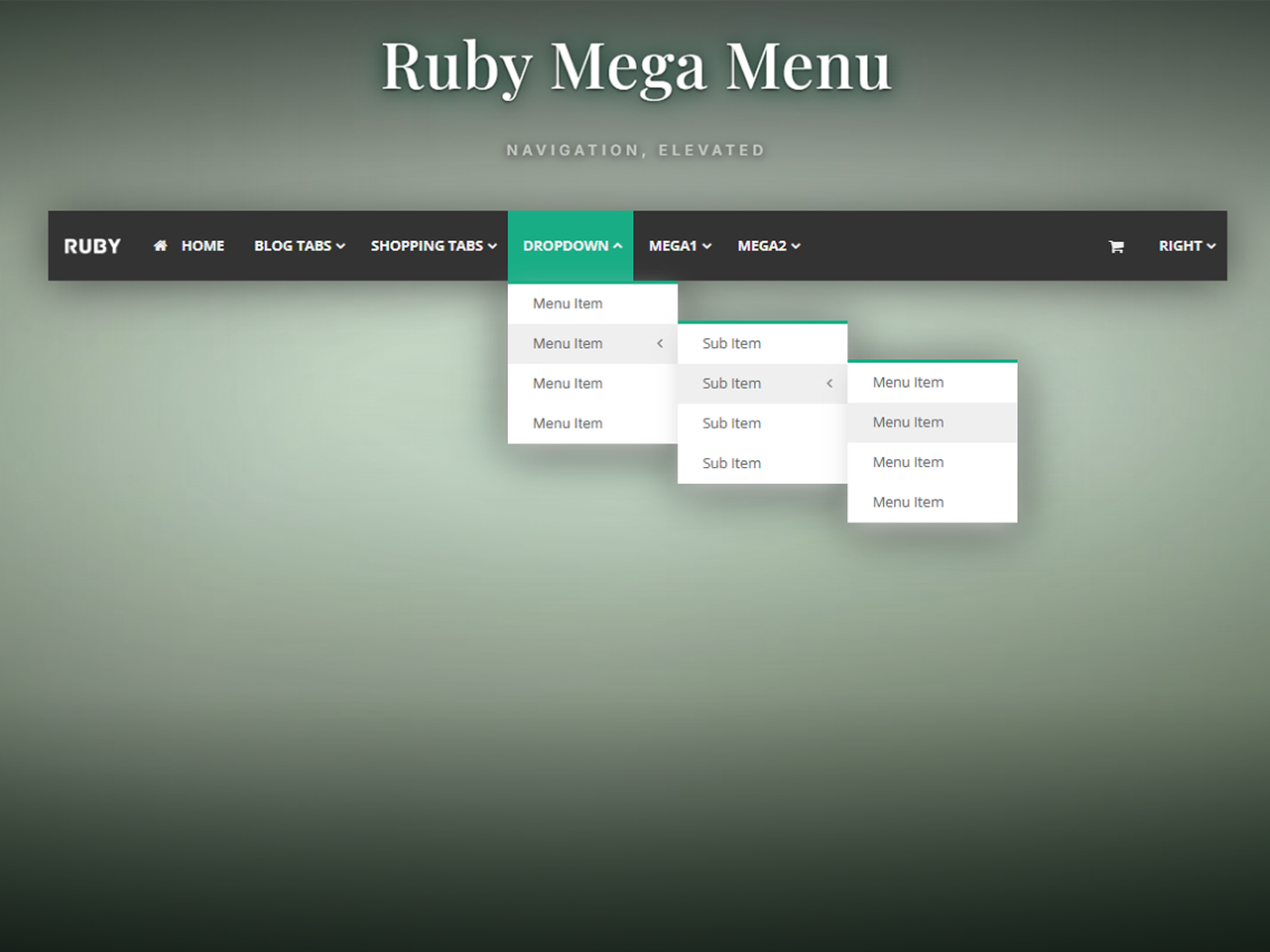
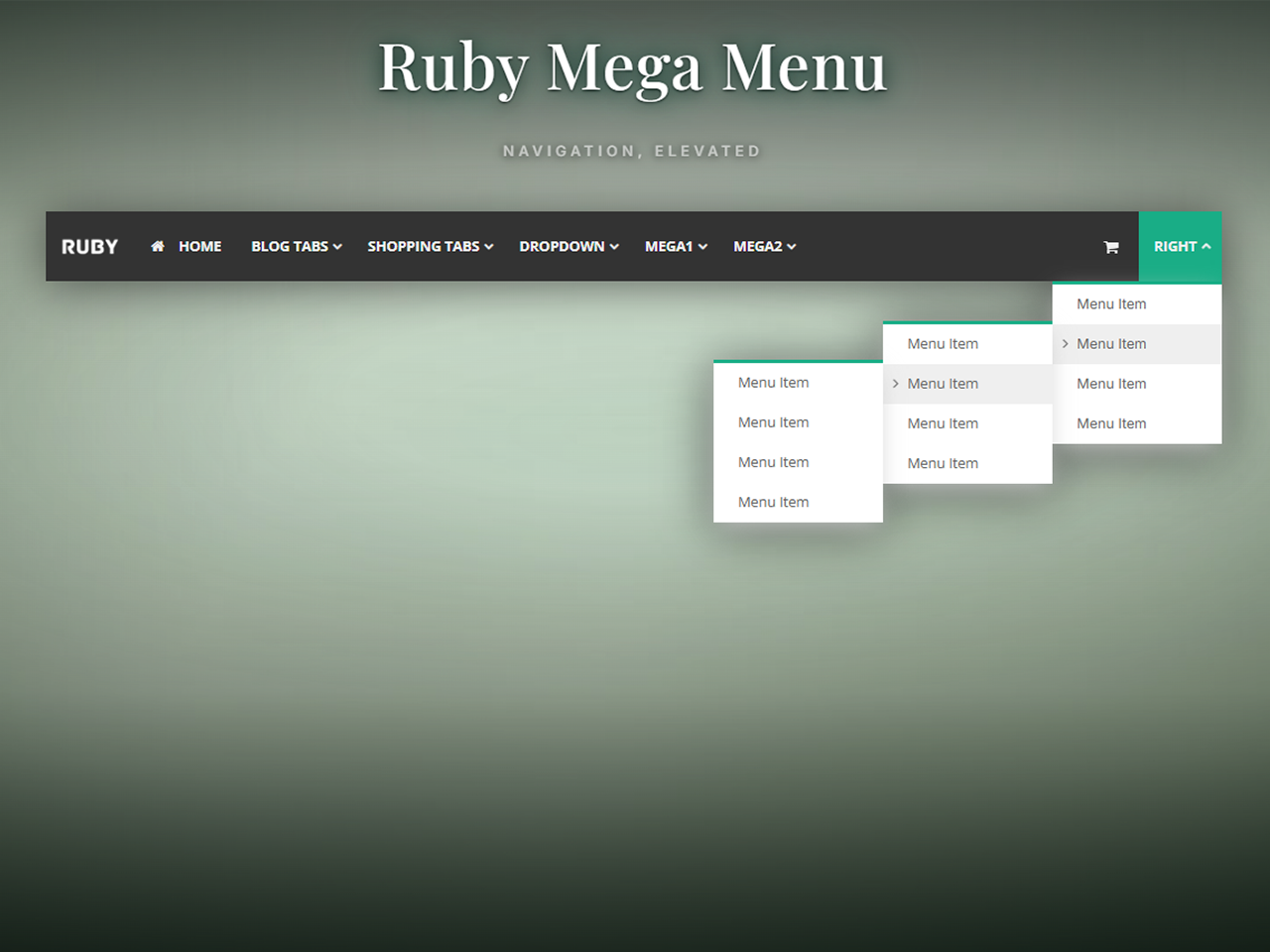
- Classic Dropdown — Up to 3 nested sub-levels with icons, link targets, and custom URLs.
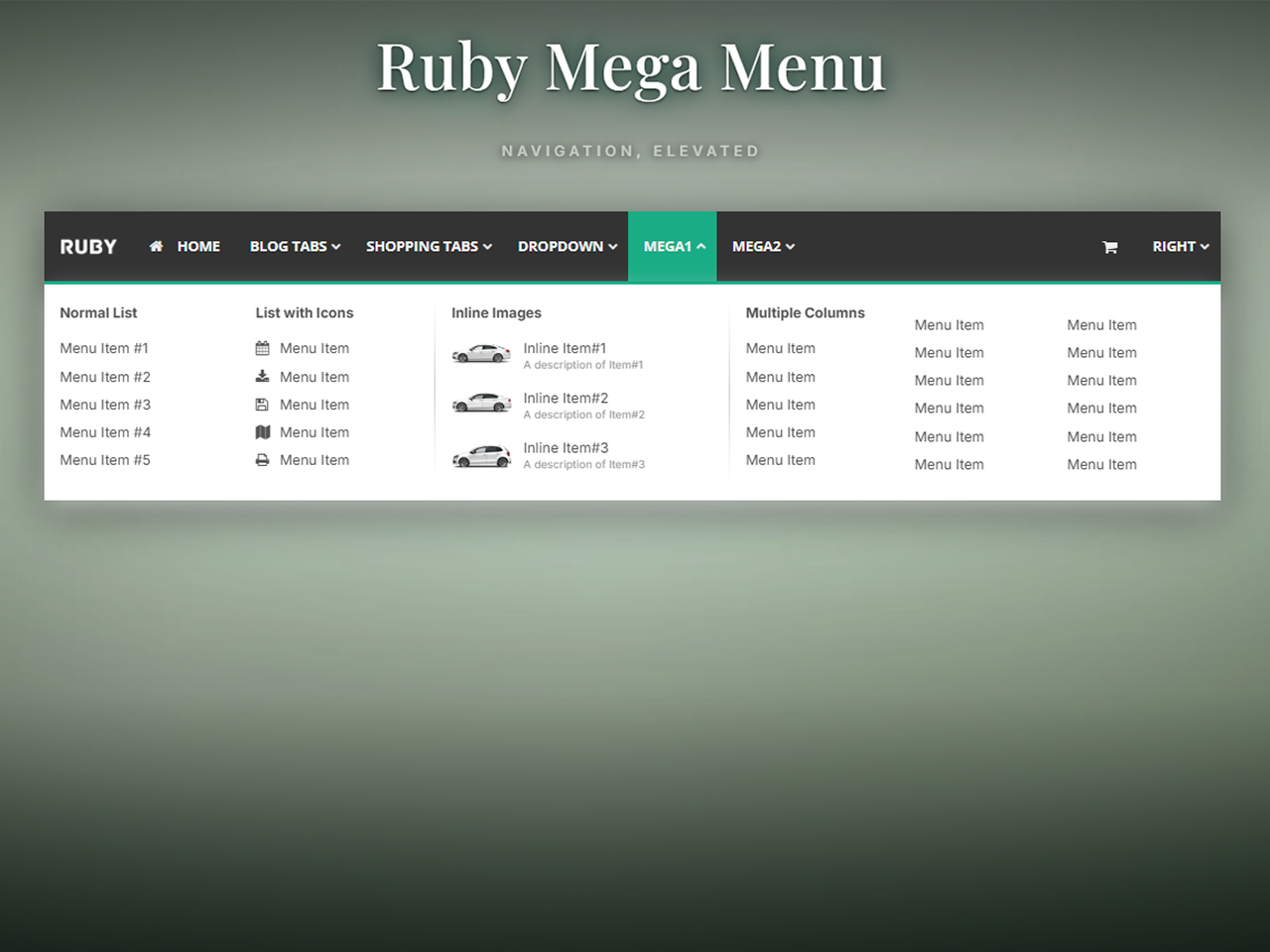
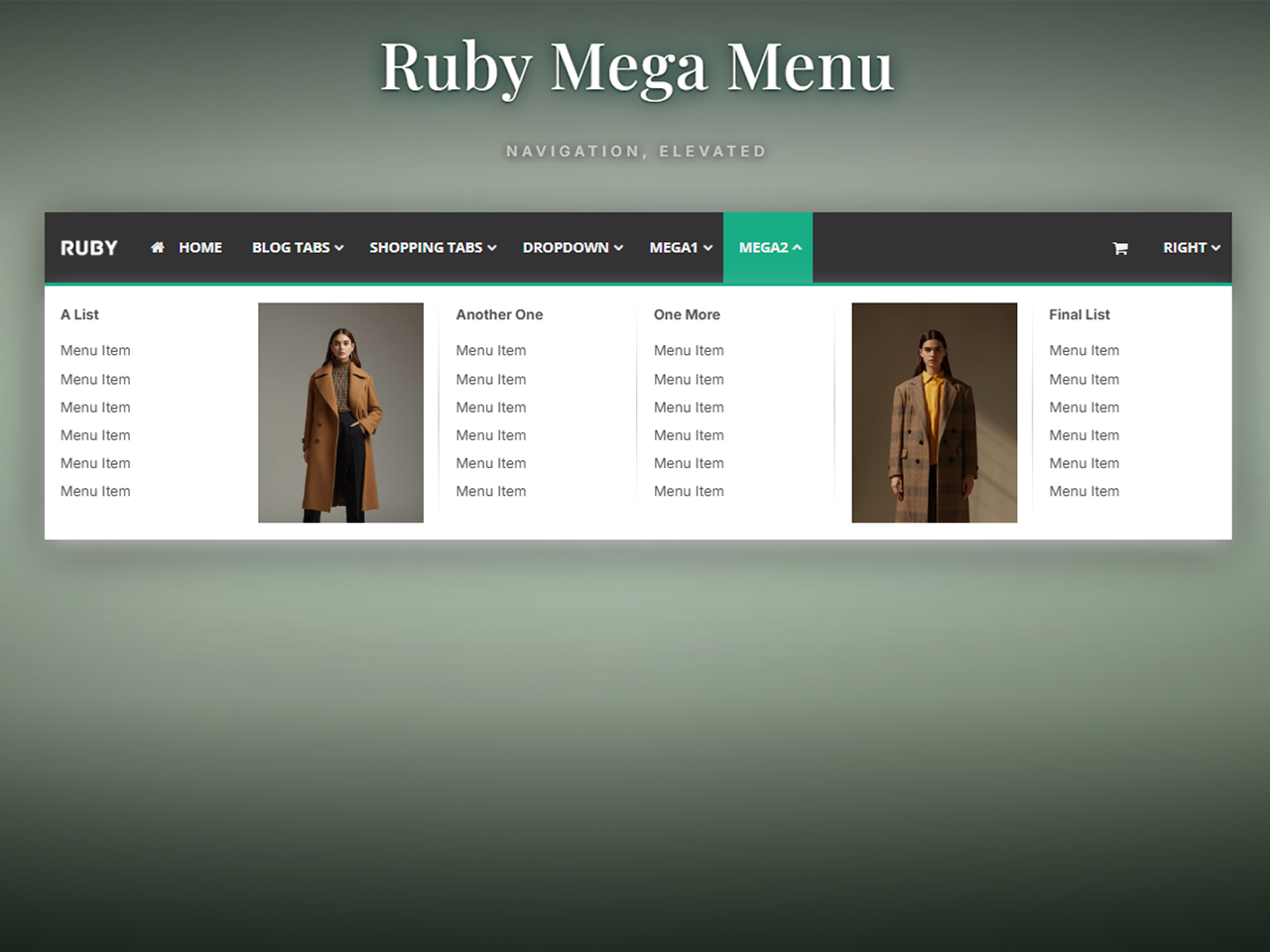
- Classic Mega Menu — Multi-column layouts with lists, images, image-link cards, and image+list combinations.
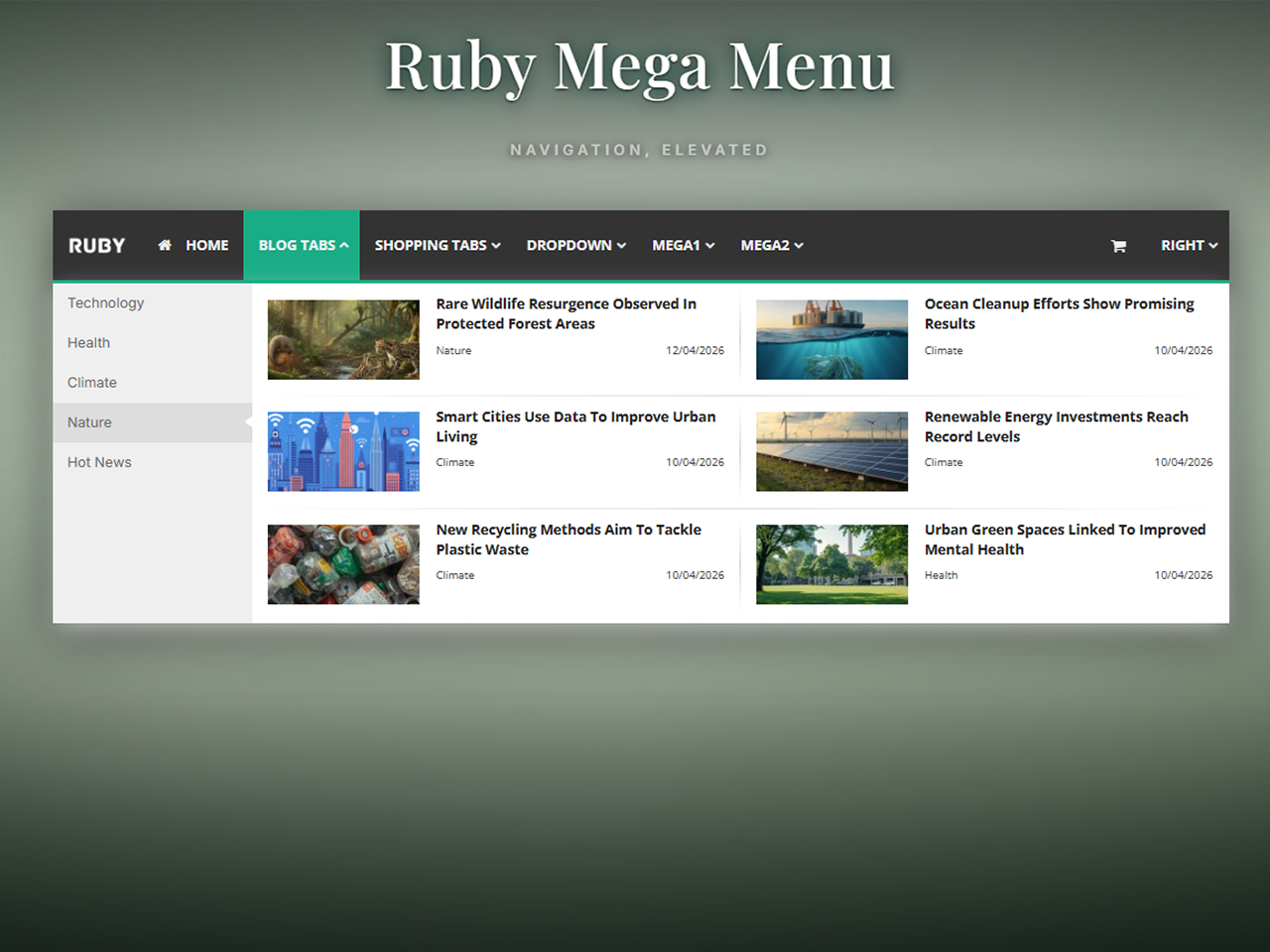
- Content Tabs (Vertical) — Auto-pulls your latest blog posts by category into a tabbed reading experience.
Features
- Drag-and-drop menu builder in the WordPress admin
- 5 mega menu column types (normal list, list with images, multiple lists, image link, image + list)
- 4 blog layouts for the vertical tabs menu (4-col grid, 3-col grid, 2-col grid, flat list)
- 300+ Font Awesome icons
- Full typography control — Google Fonts, size, weight per menu region
- Full color customization — every element has its own color picker
- Responsive design — mobile hamburger menu with slide-in navigation
- Content separators, dividers, right-aligned menu items
- Header mode with custom height, background color, or image
- FSE theme support via
[rubymm_rubymenu]shortcode - Replace the theme’s default navigation in specific menu locations or globally
- Compatible with popular themes (Avada, The7, Astra, GeneratePress, and most others)
Documentation
Full documentation available at docs.rubymegamenu.com.
Full video tutorial available at Youtube
Captures d’écran
Installation
- Upload the
ruby-mega-menufolder to the/wp-content/plugins/directory, or install via the WordPress plugin directory. - Activate the plugin through the Plugins menu in WordPress.
- Go to Ruby Mega Menu in the admin sidebar to start building.
- Add the
[rubymm_rubymenu]shortcode to a page or template, OR enable automatic theme replacement in Settings.
For detailed setup instructions, visit docs.rubymegamenu.com/installation/.
FAQ
-
Does it work with my theme?
-
Ruby Mega Menu works with most WordPress themes, including FSE (Full Site Editing) themes. For FSE themes, use the
[rubymm_rubymenu]shortcode inside a Custom HTML block. For classic themes, the plugin can automatically replace your theme’s navigation in specific menu locations. -
Does it work with page builders?
-
Yes. Use the
[rubymm_rubymenu]shortcode in any page builder (Elementor, Divi, Beaver Builder, etc.) that supports shortcodes. -
Does it slow down my site?
-
No. The plugin loads a single CSS file and a small JavaScript file, both cached by the browser. Menu data is cached in memory via WordPress object cache.
-
Can I translate it?
-
Yes. The plugin is translation-ready via the
ruby-mega-menutext domain. -
Does the plugin collect any data?
-
No. Ruby Mega Menu does not collect any data from your site, your admin users, or your visitors. All menu data is stored in your own WordPress database.
-
Does the plugin load any external resources?
-
The plugin loads Google Fonts from Google’s CDN only if you enable custom fonts in the typography settings. If you prefer not to load from Google, select « System Default » in the font settings. No other external resources are loaded on the front end of your site.
-
Where can I get support?
-
Please open a topic in the WordPress.org support forum.
Avis
Il n’y a aucun avis pour cette extension.
Contributeurs & développeurs
« Ruby Mega Menu » est un logiciel libre. Les personnes suivantes ont contribué à cette extension.
Contributeurs
Traduisez « Ruby Mega Menu » dans votre langue.
Le développement vous intéresse ?
Parcourir le code, consulter le SVN dépôt, ou s’inscrire au journal de développement par RSS.
Journal
1.0.8
- Security: introduced esc_inline_css() helper that applies wp_strip_all_tags(), wp_kses_no_null(), str_ireplace(‘</style’), and blocks @import, expression(), javascript:/data: URLs and IE behavior/binding properties before any CSS is passed to wp_add_inline_style().
- Security: introduced esc_css_selector_list() helper that sanitizes each CSS selector via preg_replace and wp_strip_all_tags() before output.
- Security: both wp_add_inline_style() call-sites (dynamic CSS and hide-theme-nav CSS) now route through these helpers immediately before output.
1.0.7
- Security: all output values in view-settings.php now wrapped with esc_attr() at the point of echo (late escaping).
- Security: CSS inline style output now uses wp_strip_all_tags() + str_ireplace(‘</style’) as a two-step sanitization before wp_add_inline_style().
- Security: CSS selector regex tightened to exclude quote characters (« , ‘) that are not valid in safe selectors.
- Security: font-family regex simplified to alphanumeric, space and hyphen only — sufficient for all Google Font names.
- Fix: PHP syntax error in font-family preg_replace (misquoted regex) resolved.
1.0.6
- Security: added explicit format arrays (%d/%s) to all $wpdb->insert, $wpdb->update, and $wpdb->delete calls for proper SQL type safety.
- Security: added $wpdb->prepare() to get_top_level_items() query for consistency with WordPress coding standards.
- Security: all dynamic CSS values now late-escaped at point of string building using esc_css_color() and esc_css_dimension() helpers.
- Security: added esc_html() to unescaped echo in view-builder.php.
- Fix: classic dropdown subdropdown positioning now correctly uses saved Dropdown Width setting (left/right offset).
- Fix: blog-type mega menu nav items no longer inherit theme margin-bottom or line-height overrides.
- Fix: shop menu tab items no longer inherit theme font-weight or font-stretch overrides on desktop.
- Fix: admin bar offset fix (fixAdminBarOffset) now only applies margin-top on mobile breakpoint, preventing unwanted spacing on desktop.
- Fix: mobile teleport now skips #wpadminbar when applying margin-top to body first div, preventing admin bar from being pushed down.
1.0.5
- Compliance: prefixed remaining AJAX action hooks (rmm_search_posts, rmm_get_post_link) with rubymm_.
- Changed: shortcode renamed from [ruby_menu] to [rubymm_rubymenu] for a more distinctive identifier.
- Fixed: delete confirmation popup was blank due to mismatched localization key (confirm_delete vs confirm_delete_top).
- Fixed: dynamic font CSS was outputting duplicate #ruby-mega-menu selector due to prefix already being present in font_targets() array.
- Fixed: Google Fonts loading used array_merge instead of array_replace_recursive, causing saved font settings to not properly override defaults.
- Fixed: font-family, font-size, and font-weight in dynamic CSS now use !important to prevent theme styles from overriding plugin typography settings.
- Added: active menu item support — top-level nav items now receive ruby-active-menu-item class when the user is on the corresponding page, using $wp->request for accurate URL matching in subdirectory installs. Filter is scoped to plugin-managed menus only.
1.0.4
- Fixed: CSS cascade order — dynamic menu styles now load before responsive CSS so mobile layout rules take priority.
- Fixed: right-aligned top-level menu items — second-level submenu now stacks full-width on mobile instead of being pushed off-screen.
1.0.3
- Compliance: fully removed Freemius SDK, premium license checks, and all premium feature placeholders from WordPress.org build.
- Compliance: ensured no locked features or license checks remain in the code, per WordPress.org Plugin Directory Guidelines.
1.0.2
- Compliance: prefixed all global functions, classes, variables, hooks, and options for WordPress.org guidelines.
- Compliance: moved all inline styles and scripts to proper enqueue system (
wp_add_inline_style,wp_enqueue_script). - Security: added
wp_kses_postfinal filter to all rendered menu HTML returned from shortcode and nav menu filter. - Security: escaped all
get_the_date()output in blog menu views. - Removed premium feature placeholders (Pro badges, upsell links) for WordPress.org submission.
1.0.1
- Security: hardened input sanitization across all admin and AJAX handlers.
- Security: added nonce verification to all AJAX endpoints.
- Security: escaped all dynamic output in CSS and admin views.
- Performance: added object-cache layer for menu queries.
- Compliance: passes WordPress.org Plugin Check.
1.0.0
- Initial release.
- Classic Dropdown menus with up to 3 sub-levels.
- Classic Mega Menu with 5 column types.
- Content Tabs (Vertical) with 4 blog layouts.
- Full typography, color, and responsive design controls.
- FSE theme support via
[rubymm_rubymenu]shortcode.