

Description
Marquezy adds seamless scrolling text to your site — as an announcement bar below the header, as a block, or as a shortcode for page builders. The loop is pure CSS: no jumps, no rewinds, and nothing runs while it is out of view.
Announcement bar
Configured on Settings Marquezy, with a live preview.
- Phrases — a numbered list; each phrase has its own field with bold, italic and links (with a search of your pages). Enter adds the next phrase.
- Where to show — entire site, only on selected pages, everywhere except selected pages, or only where you place it yourself. Conditions: specific pages and posts, post types, categories/tags/terms and special pages (front page, blog, archives, search, 404).
- Sticky modes — scrolls with the content, always visible, or « smart » (follows a header that hides on scroll).
- Placement — right after the header: in block themes on the server (no layout shift), in classic themes after the detected header or a CSS selector of your choice.
- Close button (remembered per content — a new announcement shows again), optional pause button, hide on mobile with a custom breakpoint and a separate mobile font size.
Marquee block
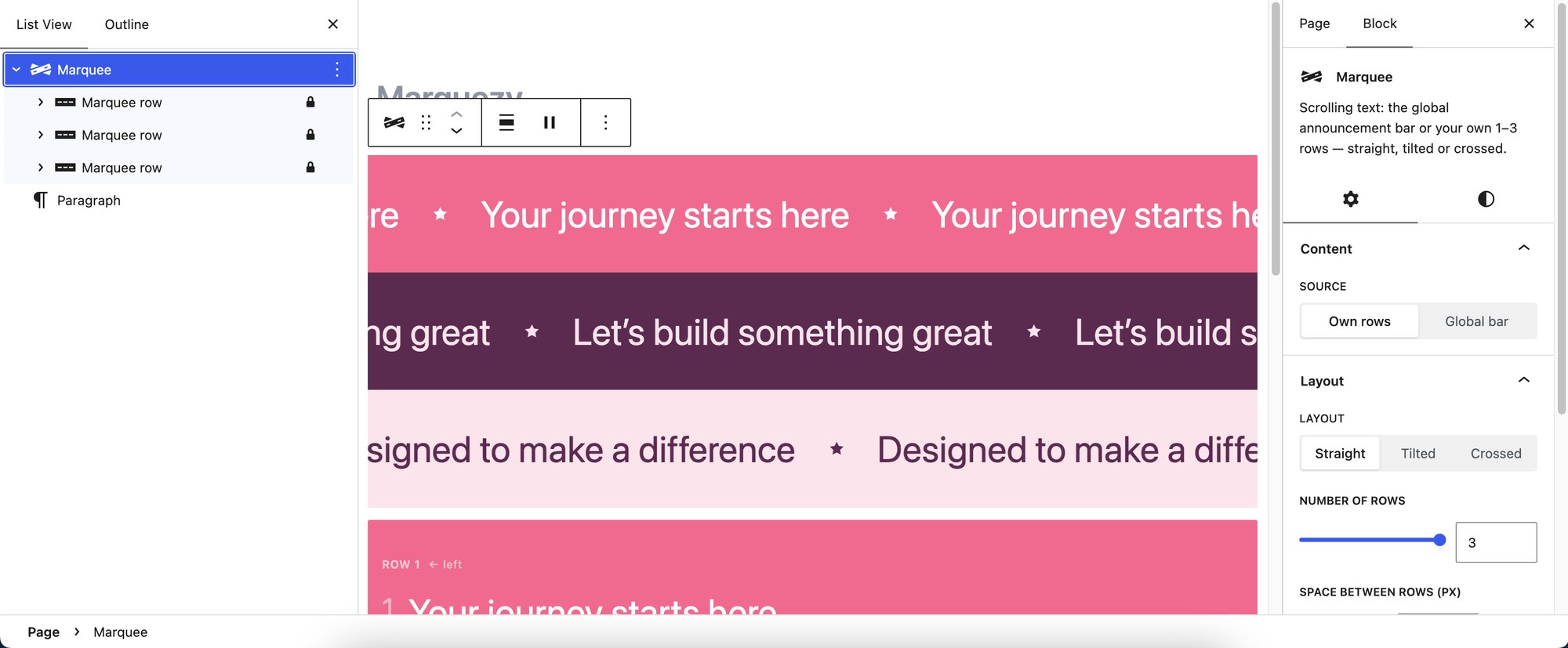
- Own rows (1–3) or the announcement bar.
- Straight, tilted or crossed — tilt up to 10°; two crossed rows with an adjustable crossing point.
- Direction per row — by default left / right / left.
- Every phrase is a regular paragraph; colors, font size and padding use the editor’s own controls; optional drop shadow per row.
- Animated preview right in the editor.
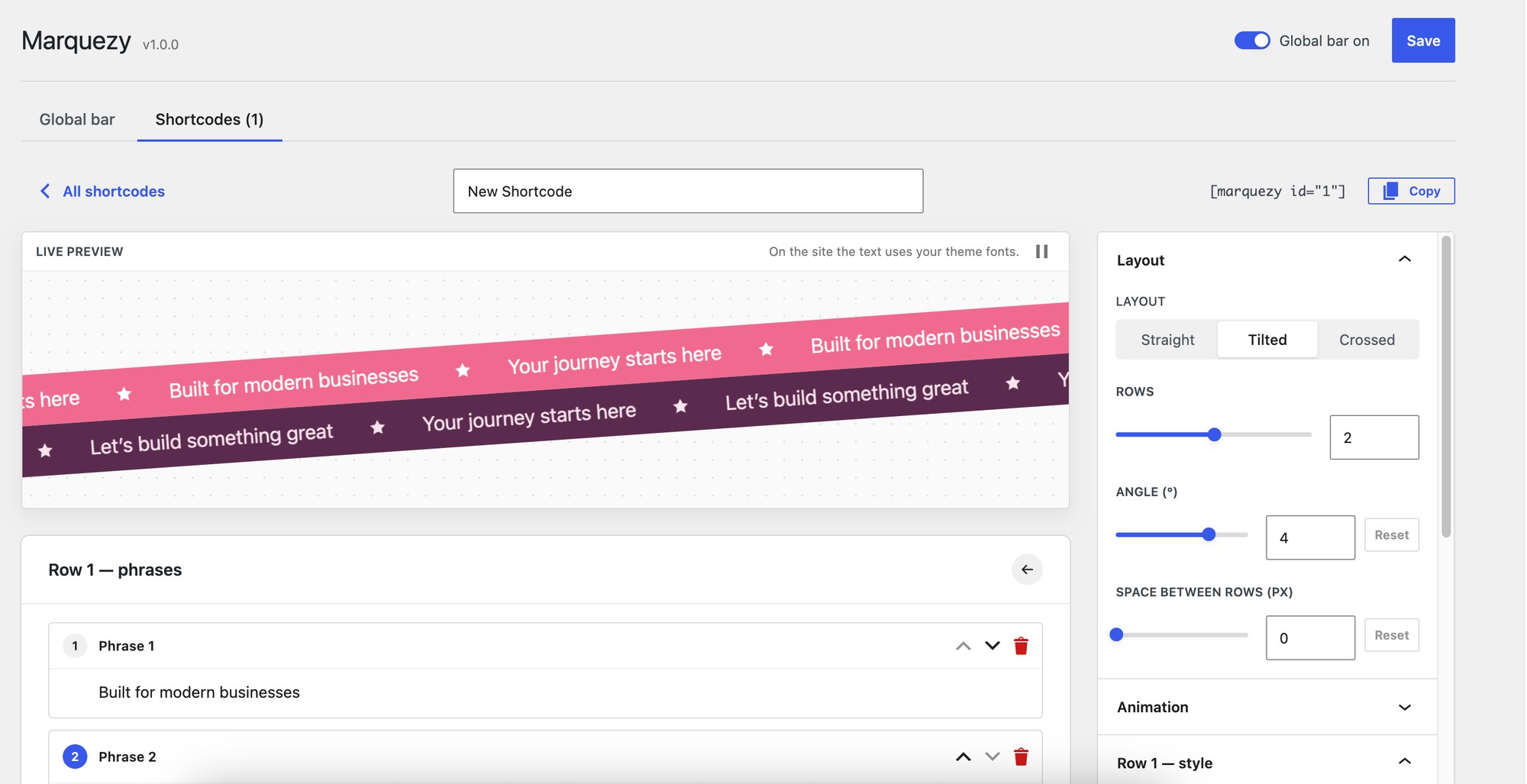
Shortcode builder
For page builders (Elementor, Divi, WPBakery…) and the Classic editor. Build a marquee with the same options as the block and a live preview, save it and paste [marquezy id="3"] anywhere. [marquezy] without an id shows the announcement bar.
Light and accessible
- Plain CSS animation driven by a tiny script; no jQuery, no external libraries.
- Pauses on hover, on keyboard focus and when scrolled out of view; respects « reduce motion ».
- Optional pause button (WCAG 2.2.2); duplicated copies are hidden from screen readers and the keyboard.
Multilingual
Phrases per language for WPML, Polylang and TranslatePress, with a fallback to the first language that has phrases.
Captures d’écran



Blocs
Cette extension fournit 2 blocs.
- Marquee Scrolling text: the global announcement bar or your own 1–3 rows — straight, tilted or crossed.
- Marquee row One scrolling line of the Marquee block. Each paragraph is a phrase.
Installation
- In your dashboard, go to Plugins Add New, search for « Marquezy » and click Install, then Activate.
- Go to Settings Marquezy: add phrases, choose where the bar appears and adjust its look.
- For more marquees add the Marquee block, or build one on the Shortcodes tab.
FAQ
-
Does it work with page builders?
-
Yes. Build a marquee on Settings Marquezy Shortcodes and paste its shortcode into any text or shortcode widget. Rows added to the page later (builder previews, popups, AJAX content) start automatically.
-
Can I show the announcement bar only on some pages?
-
Yes — choose « Only on selected pages » or « Everywhere except selected pages » and pick pages, post types, terms or special pages. With « Only where the Marquee block is placed » nothing is added automatically; use the block (source: announcement bar) or the
[marquezy]shortcode. -
Can I change the starting colors of new rows?
-
Yes, with the
marquezy_row_presetsfilter — an array of[ 'bg' => …, 'text' => … ]for rows 1–3. -
Will removing the plugin leave anything in my database?
-
No. Uninstalling deletes the plugin’s options (bar settings and saved shortcodes). Blocks and shortcodes in your posts stay as they are.
Avis
Il n’y a aucun avis pour cette extension.
Contributeurs & développeurs
« Marquezy – Marquee Block & Announcement Bar » est un logiciel libre. Les personnes suivantes ont contribué à cette extension.
Contributeurs
Traduisez « Marquezy – Marquee Block & Announcement Bar » dans votre langue.
Le développement vous intéresse ?
Parcourir le code, consulter le SVN dépôt, ou s’inscrire au journal de développement par RSS.
Journal
1.0.0
- Initial release.