
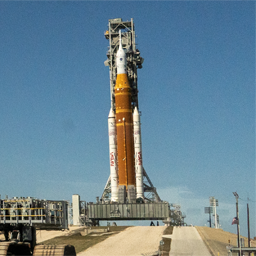
Description
Next Rocket Launch Tracker adds a [nextrlt_next_launch] shortcode that displays upcoming rocket launches, pulled from The Space Devs’ free Launch Library 2 API. Point it at any launch site (or all of them), pick how much detail to show, and drop it into a post, page, or widget area.
Features
[nextrlt_next_launch]shortcode with attributes for location, launch count, layout, color theme, and which fields to show (image, countdown, provider, pad, orbit, status, description).- Three layouts (card, list, compact), each with an optional slider mode that shows one launch at a time with prev/next arrows.
- Optional light or dark color theme that forces a matching card background, independent of the surrounding page or the visitor’s OS preference.
- A visual Shortcode Builder screen (Settings > Next Rocket Launch Tracker Builder) with toggle switches, dropdowns, and a live-updating shortcode preview you can copy with one click.
- A searchable, multi-select location picker backed by the live API, pre-populated with the most active launch sites.
- An Elementor widget (search for « Next Rocket Launch Tracker » in the widget panel) with the same options as the shortcode, for sites that build pages with Elementor.
- Launches never call the API during a normal page view: a WP-Cron job refreshes a cached copy on a schedule you control, and the last good response is served if the API is ever unreachable or rate-limited.
- Automatically filters out launches the upstream API still lists as « upcoming » moments after they’ve already flown.
Where the data comes from
Launch data is provided by The Space Devs’ Launch Library 2 API, a free, public, community-funded API. This plugin is not affiliated with The Space Devs. See « External services » below for what this plugin sends and when.
External services
This plugin connects to The Space Devs’ Launch Library 2 API to retrieve upcoming launch data and launch-site names.
- Service: The Space Devs Launch Library 2 (
https://ll.thespacedevs.com), orhttps://lldev.thespacedevs.comif the « development endpoint » option is turned on in Settings > Next Rocket Launch Tracker. - What is sent: only the numeric launch-location IDs configured in the shortcode/settings, and any text an administrator types into the location search box on the Settings or Shortcode Builder screens. No visitor data, personal information, or site content is ever transmitted.
- When it’s sent: on a background WP-Cron schedule (hourly by default, configurable) to refresh the cached launch list, and on-demand when an administrator uses the location search. The API is never called while a visitor is viewing a page.
- Terms of Service: github.com/TheSpaceDevs/Tutorials. Review their terms before relying on this plugin for a production site; the API is funded through Patreon and a credit link is appreciated.
- Privacy Policy: thespacedevs.com/privacy
Development
Found a bug or want to contribute? The source is on GitHub: github.com/CatHerderCam/Next-Rocket-Launch-Tracker.
Installation
- Take a backup of your site first.
- Upload the plugin through Plugins > Add New > Upload Plugin, or upload the
next-rocket-launch-trackerfolder towp-content/plugins/. - Activate the plugin.
- Go to Settings > Next Rocket Launch Tracker to set default locations, and Settings > Next Rocket Launch Tracker Builder to build a shortcode visually.
- Place
[nextrlt_next_launch](or a customized version of it) into any post, page, or widget area that supports shortcodes.
FAQ
-
How do I find a launch site’s location ID?
-
Use the search box on the Settings > Next Rocket Launch Tracker screen, or the location picker on Settings > Next Rocket Launch Tracker Builder — both query the live API and show real IDs. Don’t guess; Cape Canaveral SFS and Kennedy Space Center, for example, are separate locations with separate IDs.
-
Will this slow down my site or get me rate-limited?
-
No. The plugin never calls the API on a normal page view. A WP-Cron job refreshes a cached copy on a schedule you control (15 minutes minimum), and the last good response is served if the API is ever down or rate-limited.
-
What happens if the API is unreachable?
-
Visitors see the last successfully cached data instead of an empty box. Only if there has never been a successful response does the shortcode fall back to its configurable « empty » message. Errors are written to the debug log when
WP_DEBUGis on, never shown to visitors. -
Can I make it match my site’s dark or light design?
-
Yes. The
themeattribute (or the « Color surface » option in the Shortcode Builder) acceptsauto(blends into the page, follows the visitor’s OS preference),light, ordark. The bundled CSS also exposes custom properties (--nextrlt-border,--nextrlt-muted,--nextrlt-go, and others) for deeper theme integration, or you can disable the bundled stylesheet entirely in Settings. -
Does the slider work without JavaScript?
-
Yes. Without JavaScript the launches simply stack vertically like the non-slider layouts, so nothing traps a visitor on a single item.
-
Does this work with Elementor?
-
Yes. If Elementor is active, a « Next Rocket Launch Tracker » widget appears in the widget panel (search for it, or find it under the Next Rocket Launch Tracker category) with the same options as the shortcode.
Avis
Il n’y a aucun avis pour cette extension.
Contributeurs & développeurs
« Next Rocket Launch Tracker » est un logiciel libre. Les personnes suivantes ont contribué à cette extension.
Contributeurs
Traduisez « Next Rocket Launch Tracker » dans votre langue.
Le développement vous intéresse ?
Parcourir le code, consulter le SVN dépôt, ou s’inscrire au journal de développement par RSS.
Journal
1.1.7
- Added:
Plugin URIheader and a== Development ==readme section linking to the GitHub repository.
1.1.6
- Changed: every function, class, option, hook, nonce, shortcode tag, CSS class, and file name now uses the
nextrltprefix (wassdnl), per WordPress.org plugin review feedback about unique naming. - Changed: the shortcode tag is now
[nextrlt_next_launch](was[next_launch]) so it carries a unique prefix too. - Fixed: the location-search script on Settings > Next Rocket Launch Tracker is now loaded with
wp_enqueue_script()instead of being printed inline. - Changed: the readme’s External services section now links directly to the Launch Library 2 API’s terms of service and privacy policy.
- Fixed: WordPress Coding Standards (PHPCS/WPCS) issues — missing docblocks, array formatting, and the reserved word
defaultused as a parameter name.
1.1.5
- Changed: plugin renamed from « Next Launch » to « Next Rocket Launch Tracker » (slug and text domain now
next-rocket-launch-tracker), per WordPress.org plugin review naming/trademark feedback.
1.1.4
- Added: a Next Launch widget for Elementor, with the same options as the
[next_launch]shortcode. Only loads on sites that have Elementor active.
1.1.3
- Changed: plugin header author updated to
catherdercam; removed thePlugin URIheader. - Fixed: a zip-packaging issue where the plugin’s main file could be extracted with an incorrect path, causing header detection to fail.
1.1.2
- Changed: plugin name shortened from « SpaceDevs Next Launch » to « Next Launch » to match the plugin slug and text domain.
1.1.1
- Fixed: the plugin folder and main file were renamed from
spacedevs-next-launchtonext-launchto match the plugin’s slug and text domain.
1.1.0
- Added: a visual Shortcode Builder admin screen with toggle switches, dropdowns, and a live, copyable shortcode preview.
- Added: a searchable, multi-select location picker backed by the live API.
- Added:
themeattribute (auto/light/dark) for a forced light or dark card background. - Added:
sliderattribute — shows one launch at a time with prev/next arrows, compatible with all three layouts. - Fixed: the location-search API endpoint was pointed at a path that returned a 404 on the current API version; location search now works.
- Fixed: the « upcoming » launch list could briefly keep showing a launch for hours after it had already flown; results are now filtered by status before display.
- Fixed: a box-sizing issue that could misalign slider frames by the width of their padding and border.
1.0.0
- Initial release:
[next_launch]shortcode, settings screen with location search, WP-Cron-backed caching with stale-response fallback.