

Description
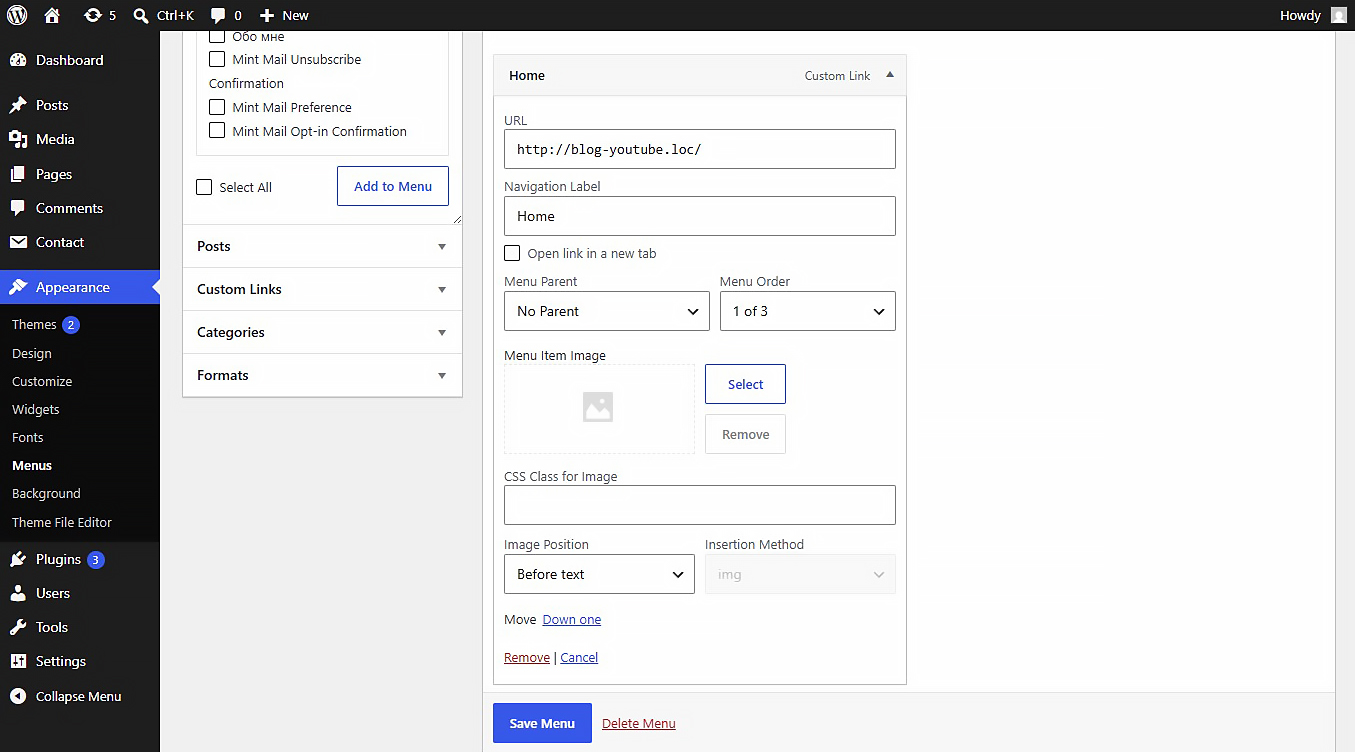
This plugin allows you to upload or link images (JPEG, PNG, WebP, SVG, etc.) directly inside the WordPress Customizer or Appearance > Menus panel. Includes built-in SVG sanitization for secure inline SVG injection.
Settings
After activating the plugin, navigate to Settings Media in your WordPress admin dashboard. There you will find the « NaviPix Settings » section where you can disable SVG upload support and SVG sanitization if needed. This gives you full control over whether the plugin handles SVG files or leaves them to your theme or other plugins.
Captures d’écran
Installation
- Upload the plugin folder to the
/wp-content/plugins/directory. - Activate the plugin through the ‘Plugins’ menu in WordPress.
- Go to Appearance > Menus, open any menu item, and choose your image.
Avis
Il n’y a aucun avis pour cette extension.
Contributeurs & développeurs
« NaviPix » est un logiciel libre. Les personnes suivantes ont contribué à cette extension.
Contributeurs
“NaviPix” a été traduit dans 1 locale. Remerciez l’équipe de traduction pour ses contributions.
Traduisez « NaviPix » dans votre langue.
Le développement vous intéresse ?
Parcourir le code, consulter le SVN dépôt, ou s’inscrire au journal de développement par RSS.
Journal
1.0.0
- Initial release.